This post is an updated version of Shadow’s post. If you have any suggestions (layout, grammar, additions, etc.), let me know. See the original post here:
Forum Etiquette
There are 3 basic rules to follow for having good forum etiquette.
- Do not engage in any behavior or use language that harms, offends, or disrespects others: This includes harassment, hate speech, insults, discrimination, threats, or abuse.
- Do not post hurtful comments: Refrain from remarks intended to offend, wound, or disrespect others.
- Treat others kindly and foster a positive, welcoming community: This includes, being friendly, supportive, and respectful in all interactions.
New users: Read Gautam’s detailed post on the forum rules [Edited (Slightly, new version should probably be made @gautam ) by yours truly]:
What can be considered misbehavior?
Misbehavior includes failing to adhere strictly to guidelines, which can compromise compliance and lead to disciplinary measures. It also involves a lack of positivity and integrity in actions, which can undermine a respectful and ethical environment.
Notice
Do not use alternative accounts to evade bans or silences. If you do, you may face an IP ban, which will prevent all future access from your network.
 Instead, you should wait out your ban/silence.
Posting
This section provides a tutorial on how to use the forum. Click the buttons for more information.
Creating a Topic
···
To create a new topic, click on the New Topic button. Then, provide the category and tag. You must select a category to post.
If your post is tagged with askcommunity, it indicates that you have created a question that the community can help solve.
Information about categories
Always select the appropriate category before publishing a post. If you’re post fits the rules but doesn’t fit in the WorldGuessr category, use the Chill Corner category (Or Lounge if you are TL3+).
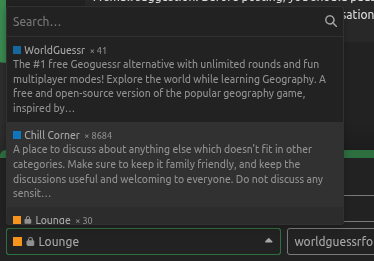
A small suggestion: Before posting, pause and consider whether it will add meaningful value. Ideally, a post should spark a conversation of some sort.
Creating a Reply
···
To reply to a post, press the Reply button, then provide your reply.
Information about creating replies:
When creating replies, it is important to note that they should contribute to the conversation. You should be the force of good. Do not start anything bad, or you will not be trusted. When you are replying to a user, this is normal. However, if you find yourself replying to them multiple times, consider switching to a private message or chat.
Tools
···
Quoting
To quote a post, select the post with your cursor. Then, press Quote or Q.
Mentioning
To mention a user, type @ followed by their username (e.g., @username).
Editing
If you made a mistake, press the pencil button on one of your posts to edit it. If a post is a wiki, you can also edit it like that.
Oneboxing
To onebox a link, put a link by itself, like this (lil self promotion lol):
https://www.youtube.com/@aaprods1
https://www.youtube.com/@aaprods1
Emojis
To use emojis, type in : then select your emoji 
Markdown
I would recommend reading this guide to learn more about Markdown. Markdown can help with formatting posts.
Solving Topics
···
If a post is tagged with question, bug, ask-community, etc., then TL3 users will have the ability to resolve it. If you are new, you can only resolve your own posts. Once a reply has been marked as the “Solution” (indicated by a green checkbox), the topic will close within 60 minutes of the last reply. Please avoid marking irrelevant replies as the solution, as this can cause issues and leave the question unresolved.
Forum Navigation
Click here to learn more about the forum.
···
Home Screen
This is the screen you are greeted with once you enter the forum’s home page. It allows users to view the latest topics, new and unread discussions, and the top topics over a specified time period.. You can also see who’s online at the moment under the advertisement.
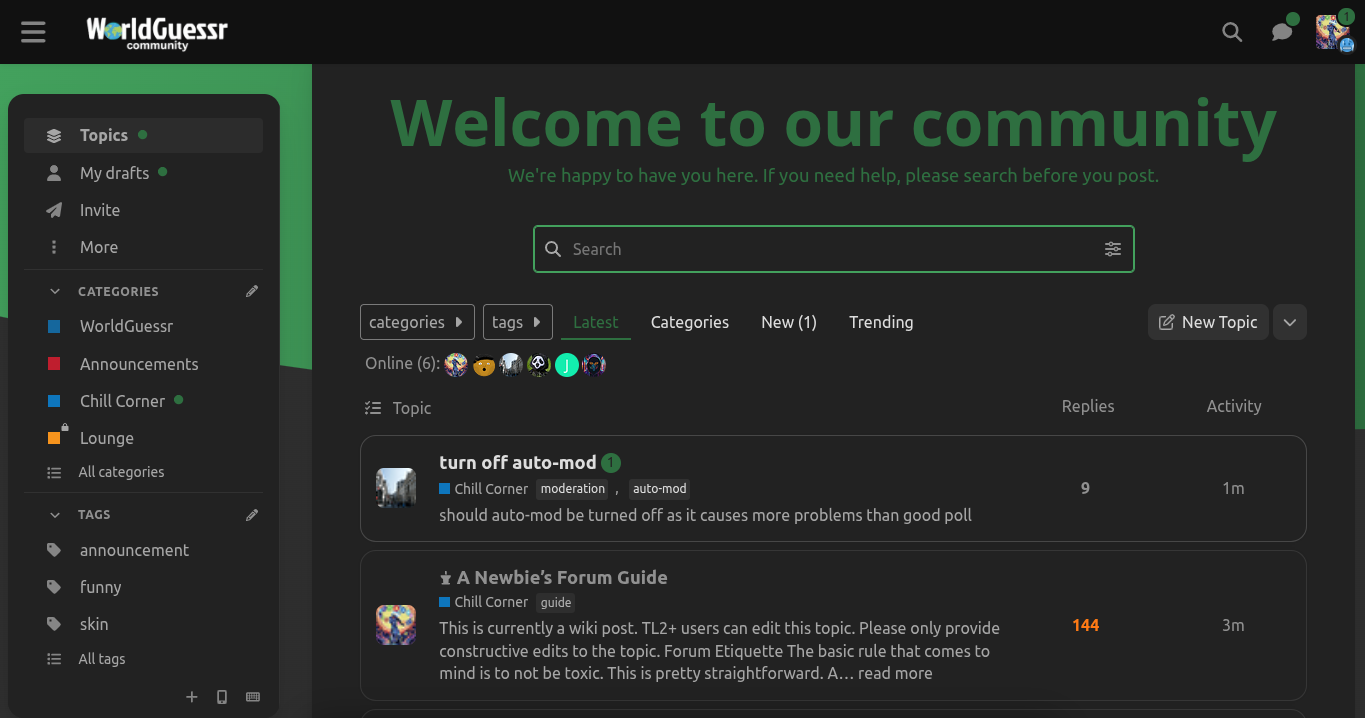
Latest
In this section of the forum, you will see all the latest topics created. You can sort by the following:
- Replies
- Activity
Click once to see topics with the most of that statistic.
Click twice to see topics with the least of that statistic.
Categories
In this section, you will see the categories of posts available on the forum. These categories include:
- WorldGuessr
- Announcements
- Chill Corner
- Lounge (If TL3+)
New
In this section, you will see new topics that you have not seen yet. To dismiss, click Dismiss New.
Trending
In this section, you will see topics that have had the most activity for the selected time period. Click the time selector to change the trending topics for that time period.
Reading
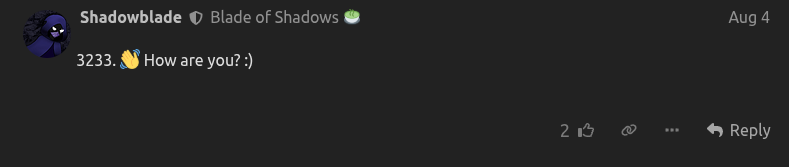
While reading posts, you will notice that you can do a few things here:
To like a post, click the thumbs up icon.
To react to a post, hover over the like button, than select the reaction you want.
If you want to share a link to a topic/post, click the link button.
If you want to edit a post, click the pencil icon [If you’re a new user it will only show up on your own posts, but if you are TL4+ (like me), it will show up on every post if you click the 3 dots]
If you click on the 3 dots, you get more these options:
Flagging-See flagging below
Bookmark-Saves posts for later
Admin Actions (TL4+ Wrench Icon)-Add official notice, make wiki, and rebuild HTML
Flagging
If the post doesn’t follow community guidelines, flag it. It can be helpful to the staff to flag it.
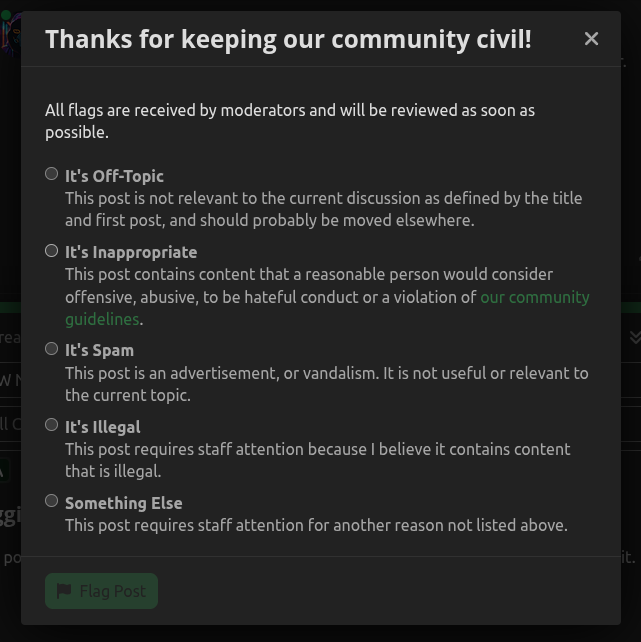
You can flag posts for the following reasons (stated in the screenshot above):
- It’s off-topic-The post is not relevant to the current discussion as defined by the title and first post.
- It’s inappropriate-The post contains content that a reasonable person would consider offensive, abusive, to be hateful conduct or a violation of community guidelines.
- It’s spam-The post is an advertisement, or vandalism.
- It’s illegal-The post requires staff attention because it may contain content that is illegal.
- Something Else-The post requires staff attention for another reason not stated previously.
Notifications
Checking for notifications
Click on the user profile in the top right corner, and you will see your forum notifications.
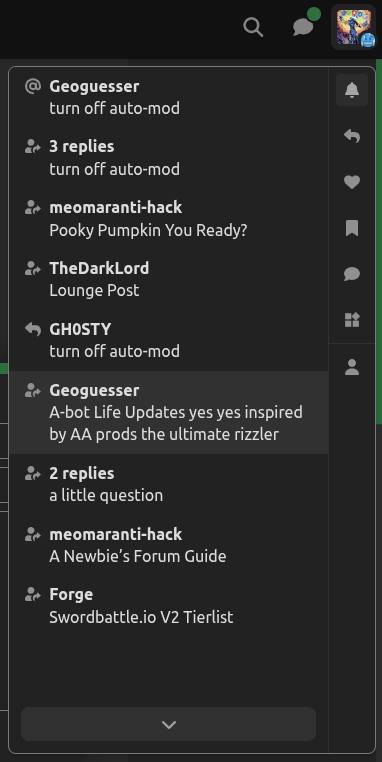
Filtering notifications
If you do not wish to be heard about a topic or want to hear more about it, you can change this setting at the bottom (or on the side)

Other users
When you click a user, you will see this usercard:
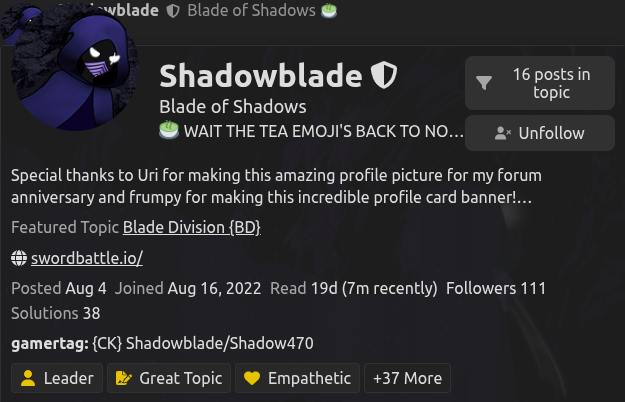
Following
To follow a user, press the Follow Button. You will receive notifications from this user now.
Direct messages
To directly message another user, click the chat button and go to personal chat. You will be brought to an interface and from there you can chat with others.
Ignoring/muting users
To ignore a user, go to their profile page, press the Normal button below:
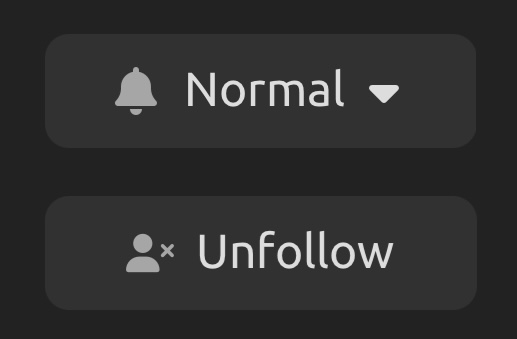
Than you may wish to ignore or mute a user.
Activities on the forum
Click here to learn about activities available on the forum.
···
Here are some fun things that you can do on the WorldGuessr Forum:
- Participate in the sword battle 100k per day challenge (Run by @Mystic )
- Contribute to the lounge post (Run by @TheDarkLord , only for TL3+)
- Post your life updates (Really new, run by me)
- Enter Tales in Yggnathil (Should start semi-soon, to be run by @TheDarkLord )
- Become a sword battle tier tester for the skill tierlist (Run by @Forge )
- Make a sword battle skin (submissions managed by @coolguy53 )
- Participate in the Poems of da Forum Challenge (Originally run by @3RG3R , but I would like to restart if anyone else wants to actually compete because I’ve been getting into writing poems)
- Fight for top 10% poster (Comes up from time to time, run by me)
- Make a worldguessr community map (or just play WorldGuessr in general)
- Make your own event
 (No seriously, we need more)
If you have any questions regarding these activities, please contact the users that I have mentioned above.
Additional Forum Guides
Trouble guide by @TheDarkLord
Guide to formatting posts by @ioi :
How to use forum guide by @Geoguesser
Sidebar Guide by @twofoursixeight:
Chat guide:
Guide to Trust Levels:
Rewards
By participating in this forum for long enough, you will gain trust levels and badges. Badges are rewarded when you earn a trust level / do a specific action. These are rewards for contributing to our forum. By doing this, it shows you are a supported member of the community.
We love shadow 
Thank you for reading,
Alex (AAProdsYT)
Note: I did use AI (Specifically Grammarly AI) to check my grammar and give some tips in general about what I wrote. So yeah no need to call me out frfr.